



Visão completa
Itens similares
DATA FROG Lenkvibrationscontroller Sim-Rennrad mit Pedalen für PC-Spielekonsole Universal-Gamepad
116,00€173,40€
Farbe : 3 in 1


Bündeln : Bündel 1
Bündel 1
Quantidade :

Relatório
Incluir violação de direitos autoraisFrete padrão grátis. Veja detalhes
Estimado entre Fri, Jun 12 e Wed, Jun 17
Você pode devolver o produto em até 30 dias após o recebimento. Veja detalhes
Compre com confiança

Garantia de devolução do dinheiro
Receba o item que você pediu ou seu dinheiro de volta. Saber mais
Sobre este item
Fonte: CoreBox
O vendedor assume toda a responsabilidade por este anúncio.Número de item: 32157383
Especificações dos itens
Steckertyp
Keine, EU-Stecker, US-Stecker
Batterieeigenschaften
Keine Batterie enthalten
Descrição do item do vendedor
How to choose compatible version for your game console :
The 2 in 1 option means it is for PC / PS3
The 3 in 1 option means it is for PC / PS2 / PS3
Note: You need to download the driver when connecting 3in1 to PC
The 4 in 1 option means it is for PC / PS2 / PS3 and Xbox 360
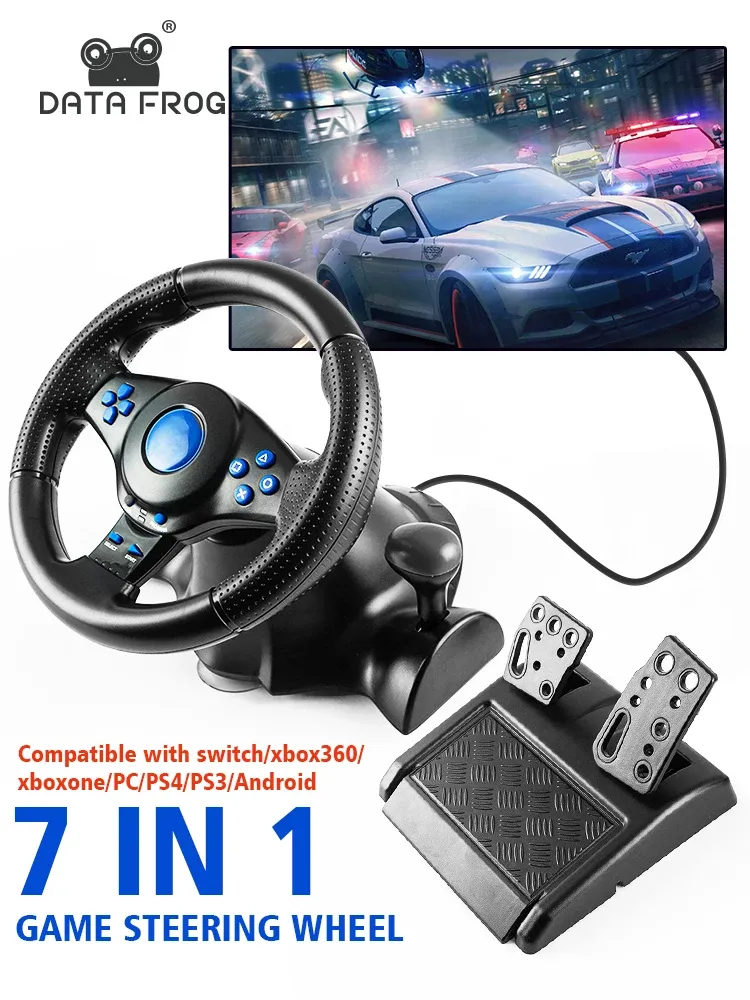
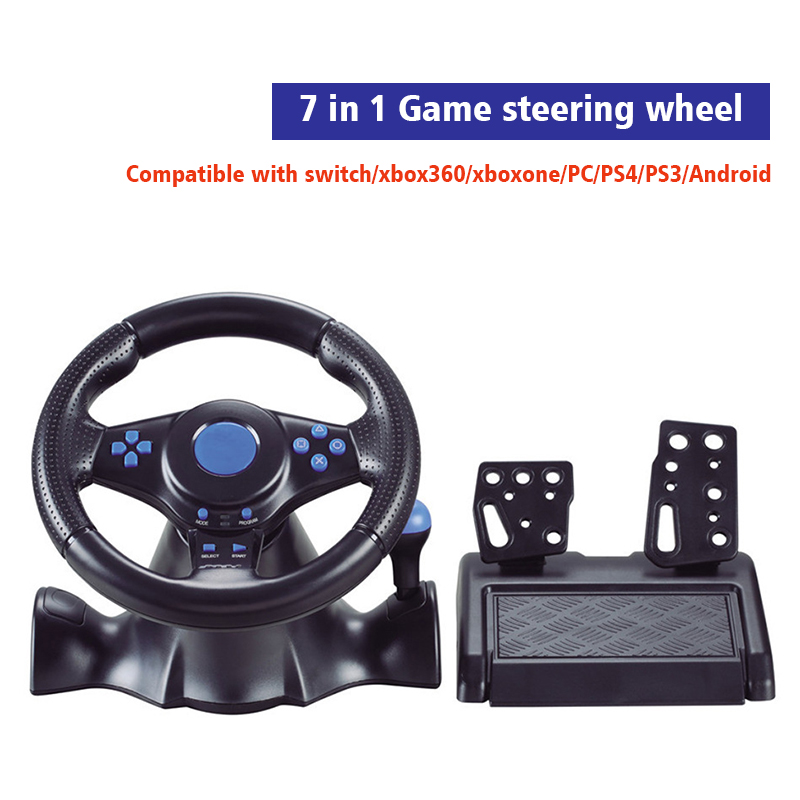
The 7 in 1 option means it is for PC / PS3 / Xbox 360 and Xbox one / PS4 / Switch / Android
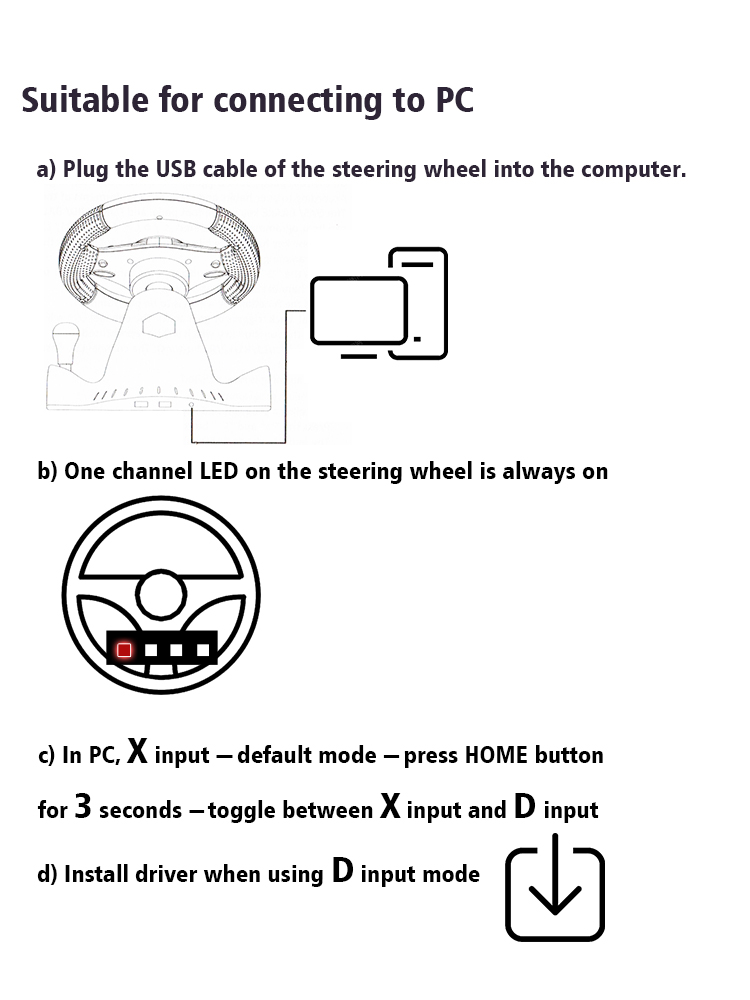
How To Connect To PC
a Plug the USB cable of the steering wheel into the computer.
b One channel LED on the steering wheel is always on
c In PC, X input is recognized as default mode.
Press the HOME button for 3 seconds to toggle between X input and D input.
d Install the driver when using D input mode.
How To Connect PS3
a Plug the USB cable of the steering wheel into the console for PS3.
b When one of the red channel LEDs on the racing wheel is always on, it is ready for use.
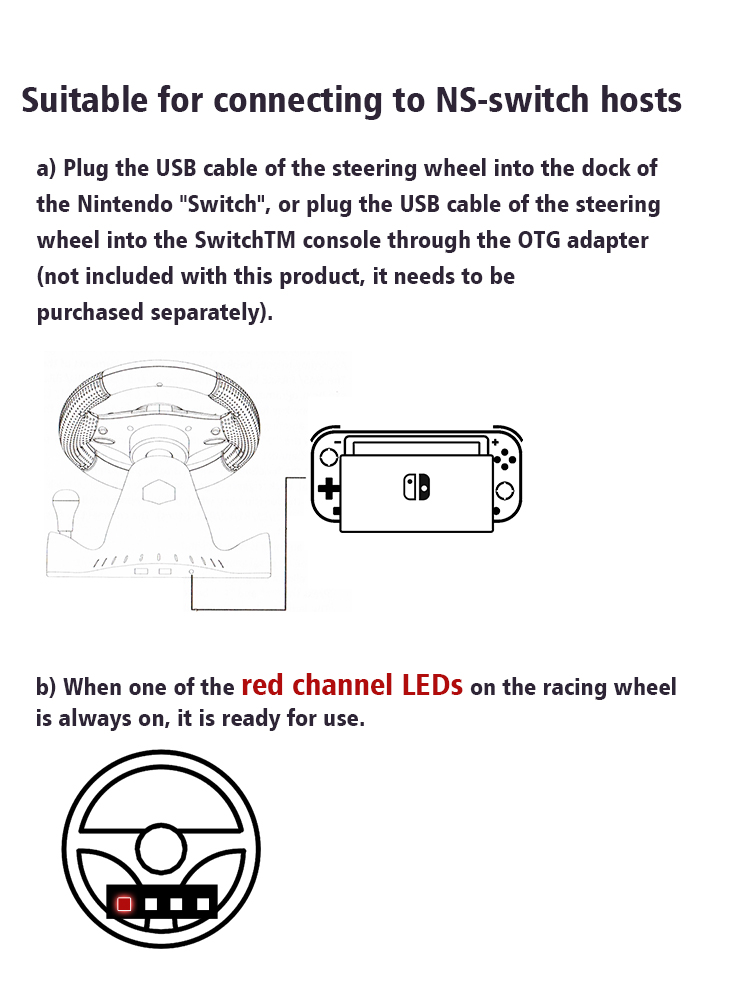
How To Compatible-Switch
a Plug the USB cable of the steering wheel into the dock of the compatible- Switch, or plug the USB cable of the steering wheel into the SwitchTM console through the OTG adapter not included with this product, it needs to be purchased separately.
b When one of the red channel LEDs on the racing wheel is always on, it is ready for use.
How To Connect Android Devices
a Plug the steering wheel USB cable into your Android TM smart TV or set-top box, or plug the steering wheel USB cable into your Android smartphone via an OTG adapter not included with this product, which needs to be purchased separately.
b When one of the red channel LEDs on the racing wheel is always on, it is ready for use.
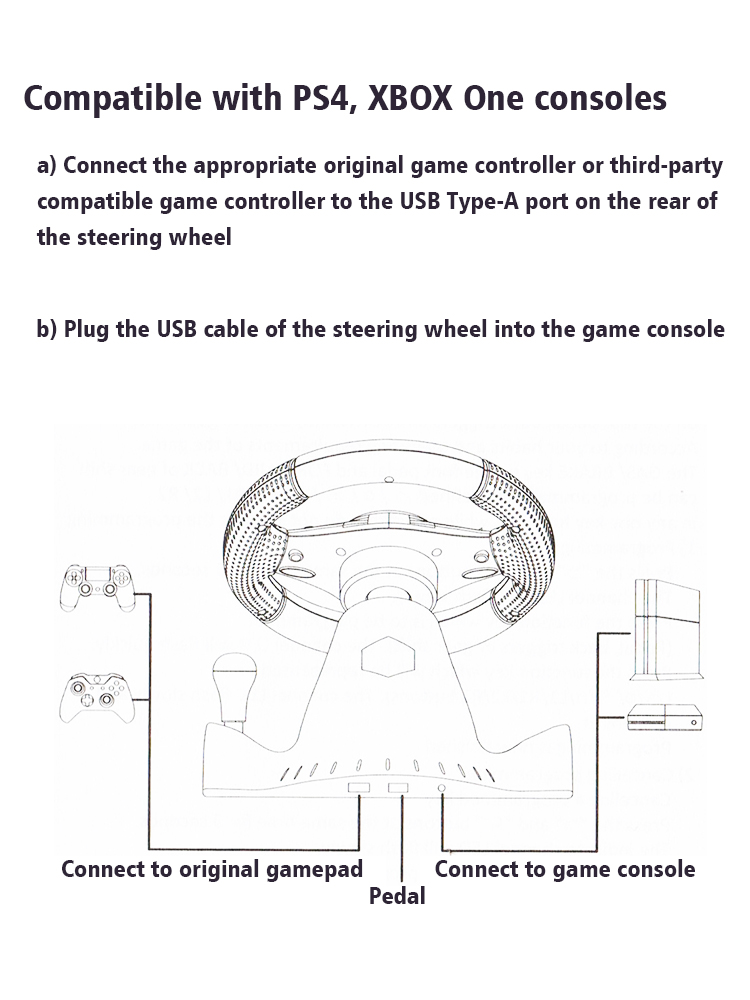
How To Connect PS4/Xbox One Consoles
a Connect the appropriate original game controller or a third-party compatible game controller to the USB Type-A port on the rear of the steering wheel.
b Plug the USB cable of the steering wheel into the game console.
Packge Included
Please select the corresponding one for your game console.
1* Steering Wheel
1* Pedals



 4.4 von 5 basierend auf 9,249 bewertungen